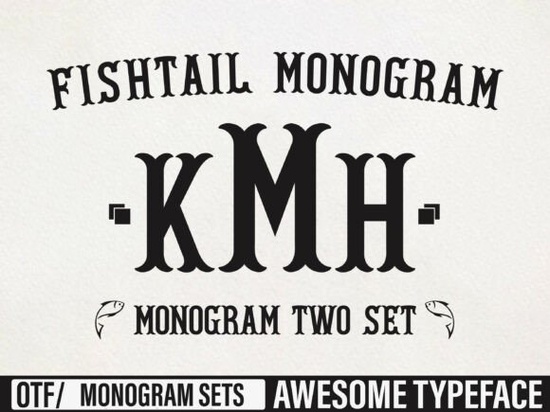
When starting a new branding project or preparing materials for print-on-demand, choosing the right lettering is often the hardest part. You need something that stands out without being hard to read. That specific challenge is what makes the Fishtail Monogram a solid choice for many creators. It is built to handle the distinct requirements of stylized initial lettering while maintaining legibility across different sizes.
This typeface brings a classic feel to modern layouts. It features extended serifs and curved tails that mimic the motion of handwriting. Whether you are cutting vinyl for a tumbler or setting up a template for a wedding invitation suite, having a versatile script helps streamline your workflow. It sits comfortably between formal calligraphy and structured display typography.
Where does this display font fit in a project?
Designers often ask which specific applications work best with ornamental alphabets. Because the characters feature decorative tails, they perform best when used as the primary visual element rather than body text. Here are common ways people utilize this resource:
- Personal Stationery: Wedding invitations and save-the-dates benefit from the elegant curves.
- Social Media Graphics: Quotes overlaid on images often gain character with this serif style.
- Branding Assets: Logos for boutique shops or cafes look professional with this level of detail.
- DIY Crafts: Vinyl cutters like Silhouette Studio or Cricut Design Space handle the paths easily.
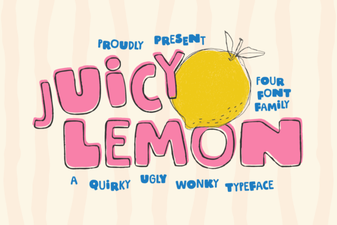
If you prefer bold strokes over intricate flourishes, you might find it helpful to browse alternatives before finalizing your order. Sometimes the Juicy Lemon offers a punchier vibe for streetwear designs, whereas this script works better for softer aesthetics.
What should I consider regarding kerning and spacing?
Monogram fonts require more attention to spacing than standard text. When placing letters close together, you have to ensure the descenders do not overlap accidentally. If you notice white spaces appearing unevenly, you may need to adjust the tracking manually. The software you use will dictate how tight you can push the glyphs.
To prevent visual clutter, we recommend leaving breathing room around the outer edges. Crowding a decorative tail with a border graphic can make the design look messy. Testing your layout at full resolution is crucial before sending it to a printer. This ensures the fine lines remain crisp after scaling.
How do I pair it with other typefaces?
A single font rarely tells the whole story in a layout. You typically need a clean secondary typeface to provide context. Sans-serif fonts usually complement this style well because they do not compete with the serifs. For example, a simple geometric sans works great for subtitles.
However, sometimes matching styles creates a cohesive theme. If you enjoy the retro aesthetic of this family, checking out the Retro Rush library could provide a perfect companion. Mixing vintage scripts with mid-century modern structures adds depth without confusing the viewer.
Which file formats are included in the download?
Crafters rely heavily on knowing exactly what they receive before purchasing a design asset. Most creative libraries supply multiple formats to ensure compatibility. Typically, you get OpenType and TrueType versions suitable for Windows and Mac systems. Web fonts are also frequently included for online storefronts.
Vector compatibility depends on whether the file supports conversion to outlines. In vector editing tools, you can convert the text to shapes to export SVGs for machines. This step is vital if you need to apply fill patterns or complex color changes to individual letters. Always verify the license terms if you plan to sell products created with these files.
Is this suitable for small business owners?
Yes, many independent sellers use this tool to differentiate their merchandise. A unique font prevents your shop logo from blending in with mass-produced items found at big-box stores. Using a proprietary-looking script builds trust with customers who value handmade quality.
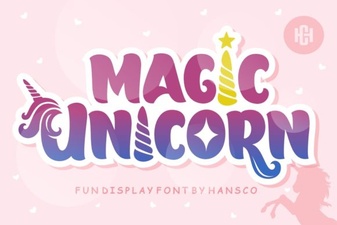
You can also explore other fun options like the Magic Unicorn for children-focused projects. While both serve the display category, the tone differs significantly. Choose the script that aligns with your brand voice.
Troubleshooting common installation issues
Sometimes downloading a font does not immediately show up in your design software. This usually happens because the operating system cache hasn't refreshed. Try closing your editor completely and restarting the computer. If the issue persists, check the folder permissions to ensure you have read access to the directory.
Another frequent mistake involves using the wrong style variant. Some bundles contain regular and italic versions mixed together. Make sure you activate the correct stylistic set before expecting the tails to appear correctly. The preview function in your font manager is a quick way to verify the glyph list.
Final checklist for implementation
Before launching your campaign, run through this short list to ensure everything is ready.
- Confirm the font renders correctly on your intended platform.
- Convert text to outlines if printing via specialized methods like screen printing.
- Check for any overlapping elements in your composition.
- Verify the size does not compromise the legibility of smaller tails.
- Save backup copies of your original layered source files.
By following these steps and selecting the right assets, your production process becomes much smoother. Good design relies on preparation and understanding the tools available to you.
Explore Design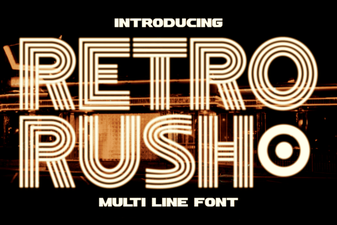 Retro Rush Font: Tips for Designers & Creators
 Magical Fonts for Creative Design Projects
 Juicy Lemon Font: Creative Ideas & Design Uses
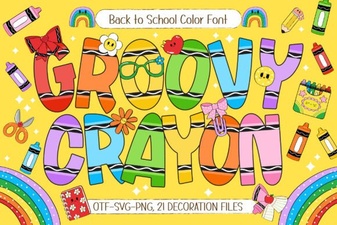 Groovy Crayon Fonts for Playful Designs
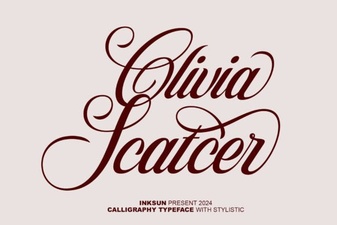 Olivia Scatter Font Style & Design Guide
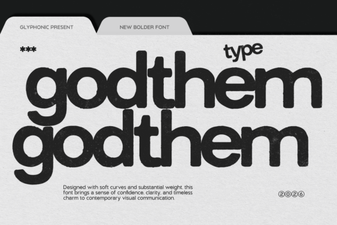 The Godthem Font: Modern Typography for Your Projects